Yesterday, I began this multi-part report by explaining what options the GNG Research Terminal has for screening our 4,700 stock universe for 187 different metrics (with more coming soon).
Due to Connor’s wedding, my illness, and the unique nature of GNG’s needs this year, this part 2 is going to be kind of (maybe) out of order.
That’s because, to optimize ZEUS (which has to be done before I leave for the wedding), I need to run the screen to get the candidates for the optimizer (beyond the list of companies we’ve already run through the process).
In other words, this is a research project I’m essentially journaling in real time so I can keep track of my thoughts and process.
I will try to publish this today before I leave for another doctor’s appointment.
Due to the unique nature of the schedule right now (with Connor and Lilly rushing with wedding stuff😉 and me having a firm 1 PM EST stop time, I’m going to try to have Connor save my settings under “Adam’s View” for GNG members to use after I publish this.
We appreciate your patience, as this might take a few hours or until Thursday.
We’re 5 people running a business that’s up to 1.1 million lines of Code (and counting!) that we started less than 4 months ago.
Step 1: Customizing Columns

We have almost 5,000 companies, and in order to find the best options for February, we need to get organized first. That means selecting what columns we want to use to organize our search (we have 10X as many companies to work with as DK so being organizes is key to prudent and disciplined analysis).
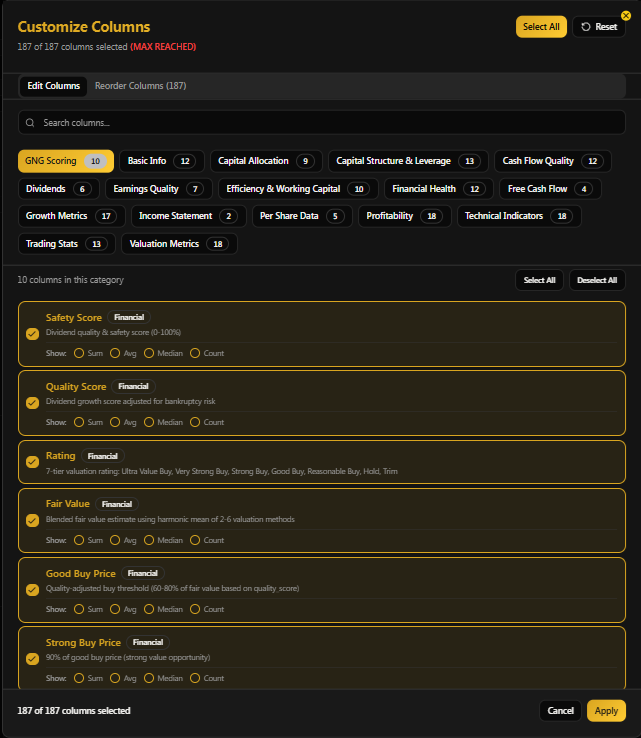
All of the filters can be selected as columns as well, and you can select average and median for each column, which is very useful to see what an equally weighted portfolio of just those companies would mean.
The column choices are the same as the filters that we went through in Part 1.
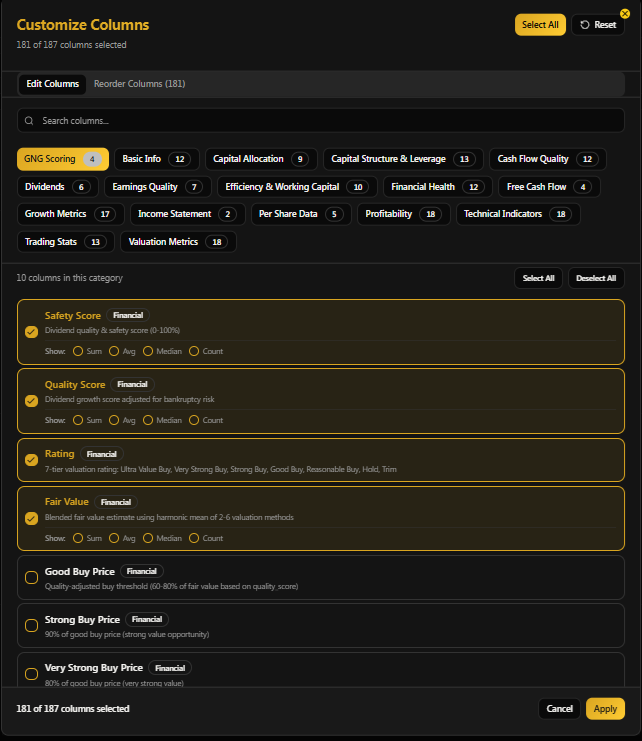
I’m trying to keep things simple, focusing on the key principles of disciplined financial science.
Safety and quality first, and prudent valuation and sound risk management always.
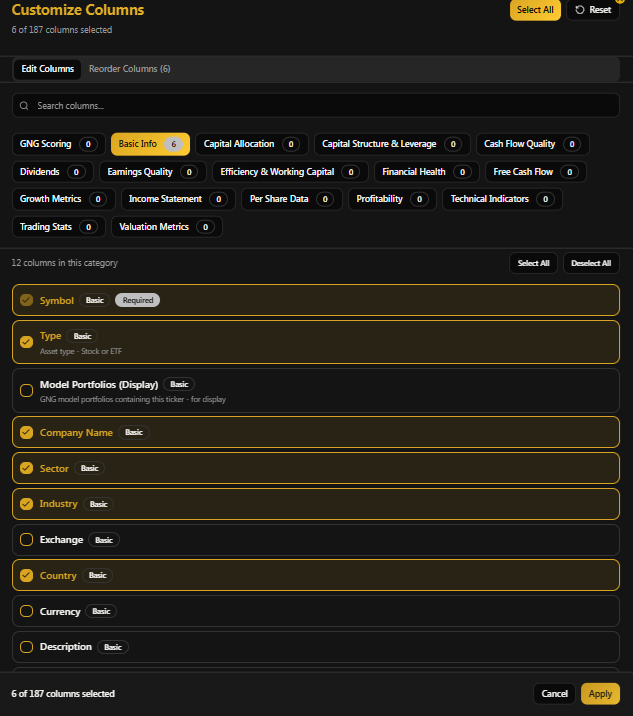
I deselected all the columns so I could select only the ones that matter to me and our current needs. Since we’re looking at almost 4,500 potential new companies, a lot of which I won’t recognize, I want to make sure we have very basic data about each company. And I’m not completely sure whether or not the screener includes ETFs, so just in case, I’m including that too.
I know that at some point, GNG will include ETF screening as well, but we may already have that capability.
Connor is adding new features so frequently that I’m discovering delightful new capabilities daily!

Creating Custom Settings
I know that one of the biggest struggles for any user of new technology is analysis paralysis. In other words, a developer like Connor will spend months toiling over tools, trying to create something that is useful for everyone, and many people might be so overwhelmed by the choices on offer that they don’t know where to begin.
So let’s walk through how to set up a personalized view (which you can save) and how I’m setting “Adam’s View” to help members who might be suffering from the paradox of choice.
I’m going through this as if I were a brand new member looking at the system for the first time, because since we’re just under 4 months old, we all kind of are😉.
So let’s remember the basics of what matters.
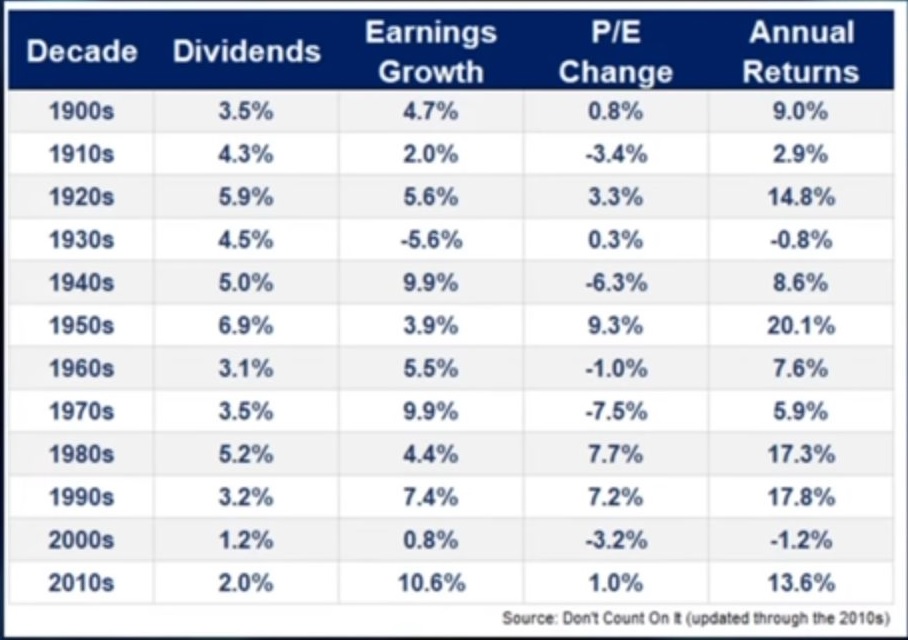
Only 3 things directly drive stock returns: yield, growth, and changes in valuation.
Safety and quality? That’s not there to generate returns, it’s to protect against losses.
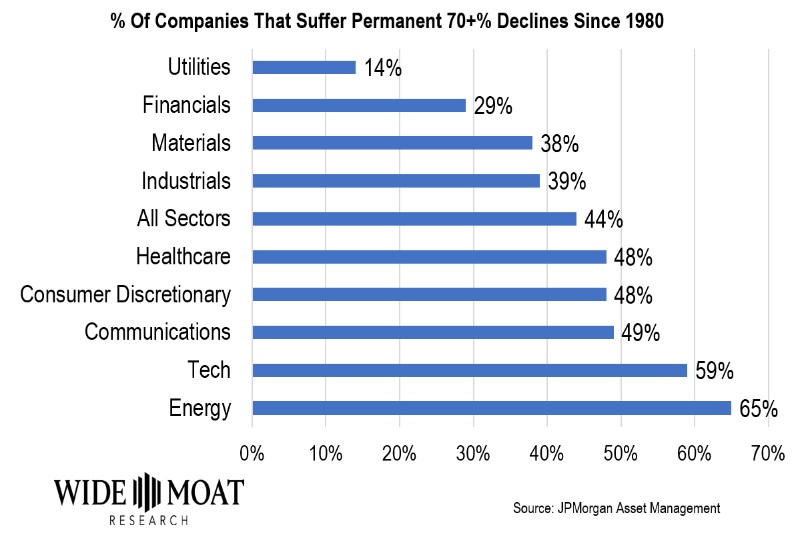
So we want to make sure we have the appropriate columns to know the safety and quality (which factor in 271 safety rules that are industry and sector specific), and then also give us all the data we need about yield, growth, and valuation.
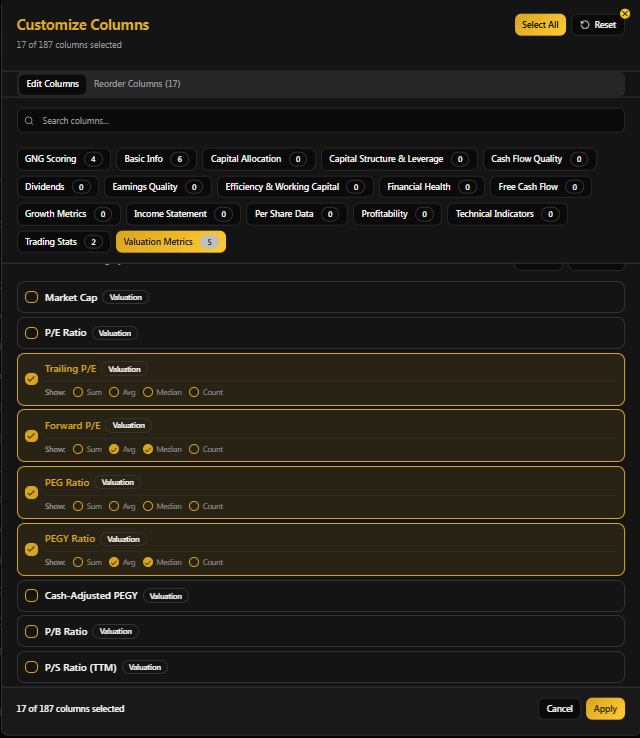
We’re adding new metrics and columns in the future, but for now, let’s use these for valuation.
We’ll be setting filters to eliminate anything that’s trading at a historical premium, and want to be able to see the average and median of the screens.
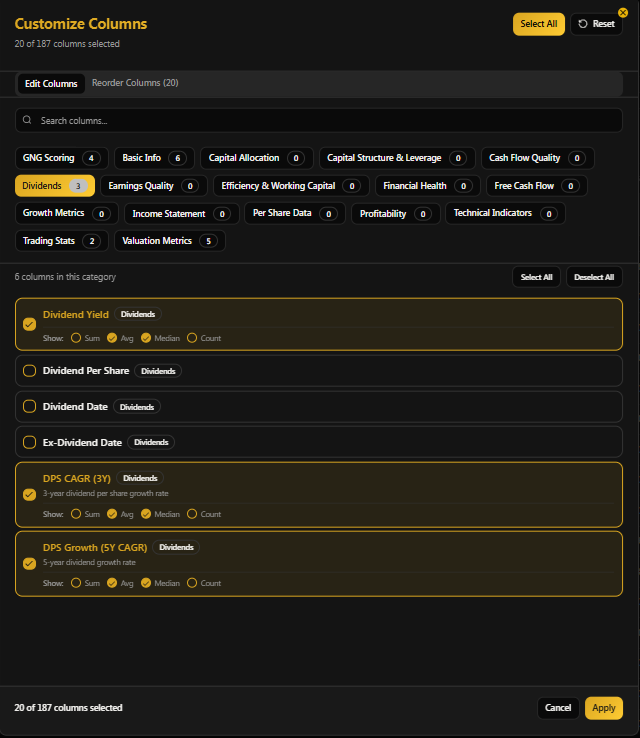
The way I use Ultra ZEUS for the family and our company doesn’t require knowing dividend payment dates, BUT I know that this kind of information might be very useful for someone creating a calendar of income and wants to make sure they are getting income every month (or even weekly).
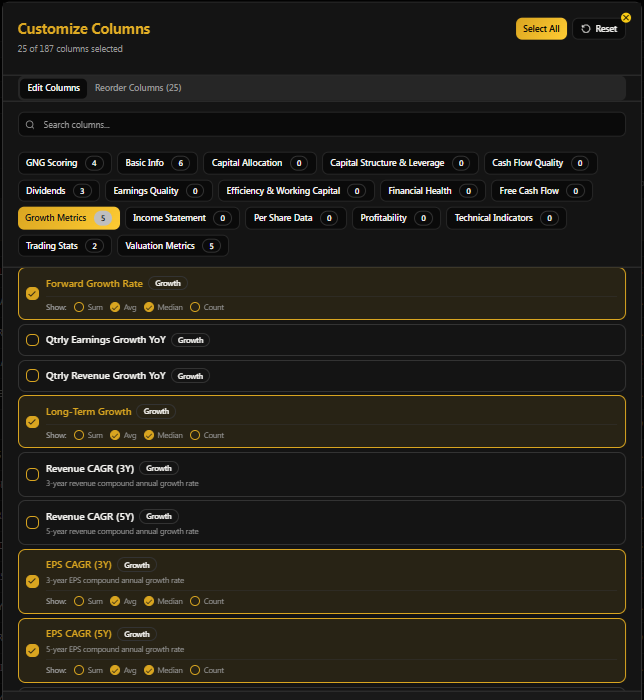
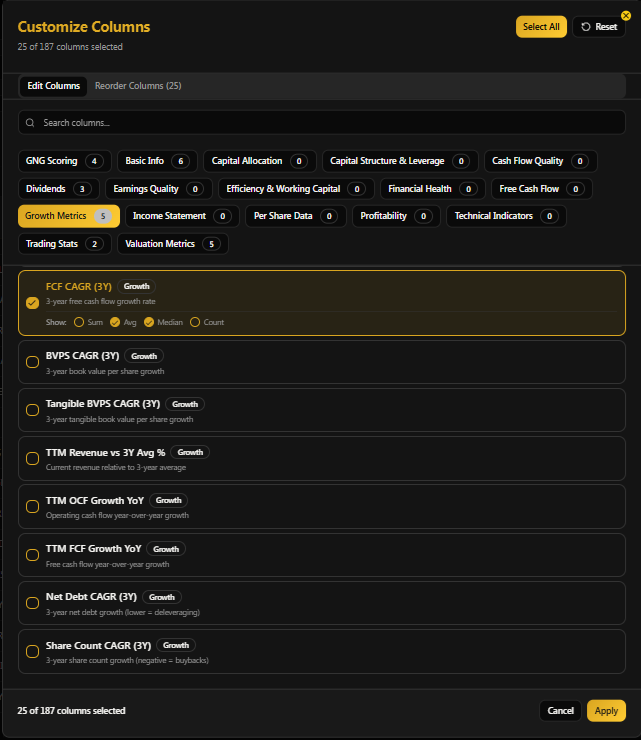
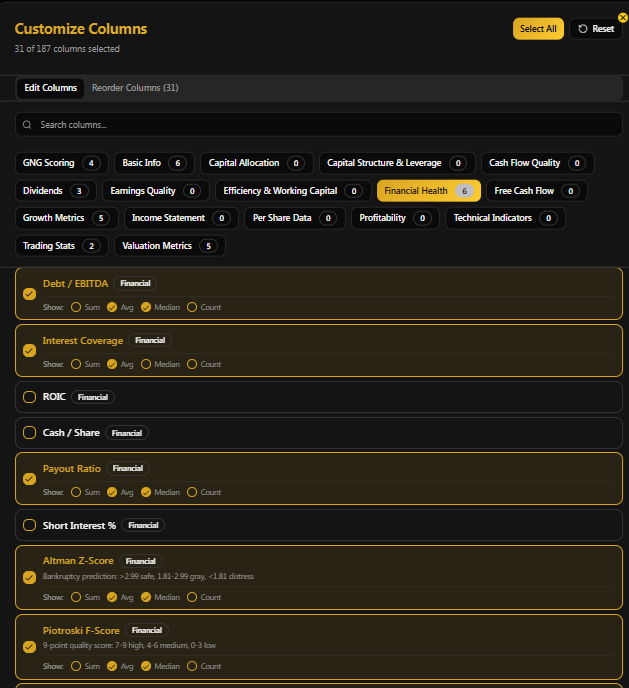

I’m also setting some basic financial health metrics (plus the advanced metrics) just to be sure that I can mentally analyze the results (in case of edge cases and issues the algos might have missed).
I know all the safety standards rating agencies use, and leverage, interest coverage, and payout ratios are key to credit ratings, so that’s why I’m using these too.

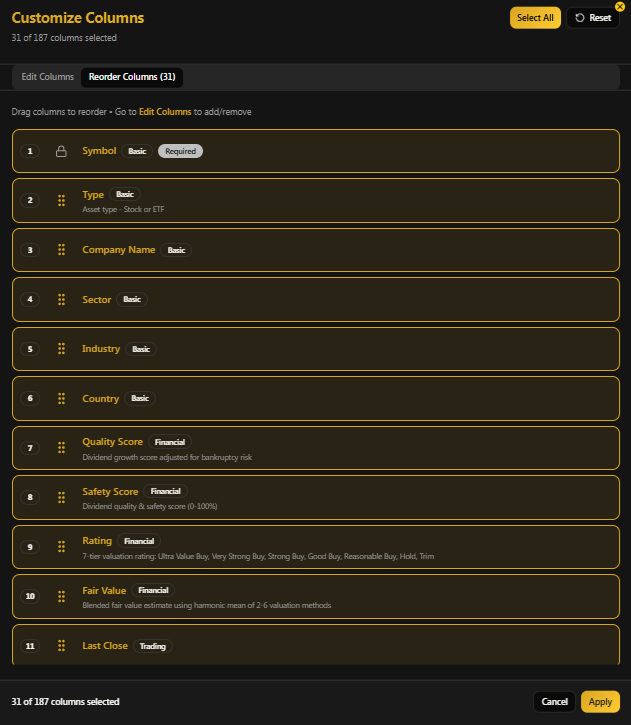
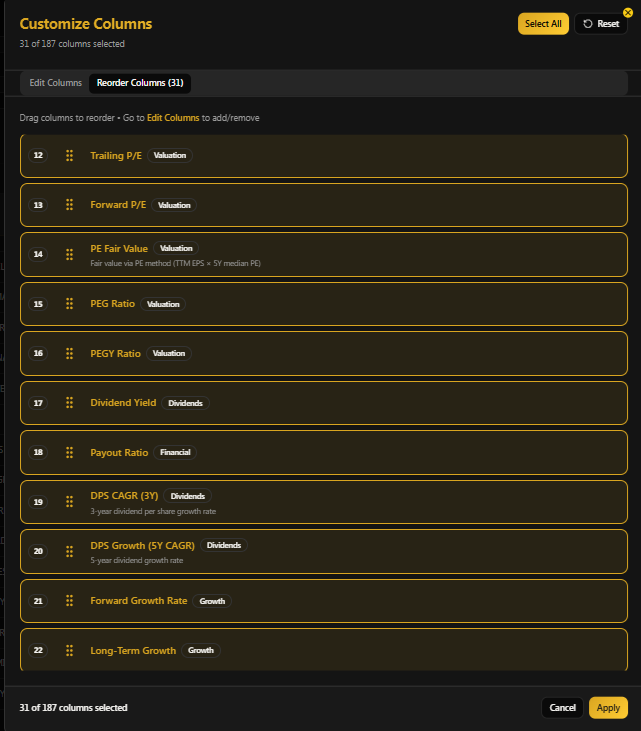
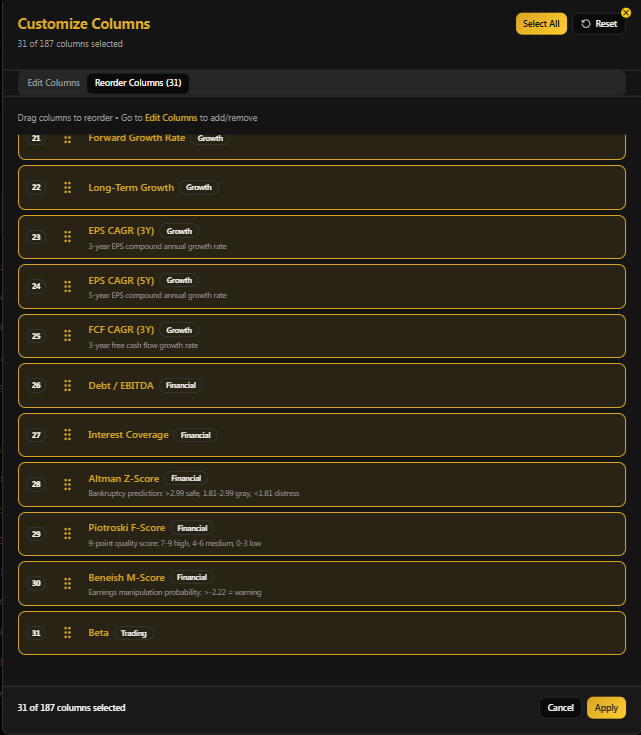
You can reorder columns, which is very useful because, in this case, I have selected 31 columns of information. And it’s nice to have groups like safety, quality ratio, and the debt metrics and payout ratios together.
Click the dots to reorder the columns as you want.
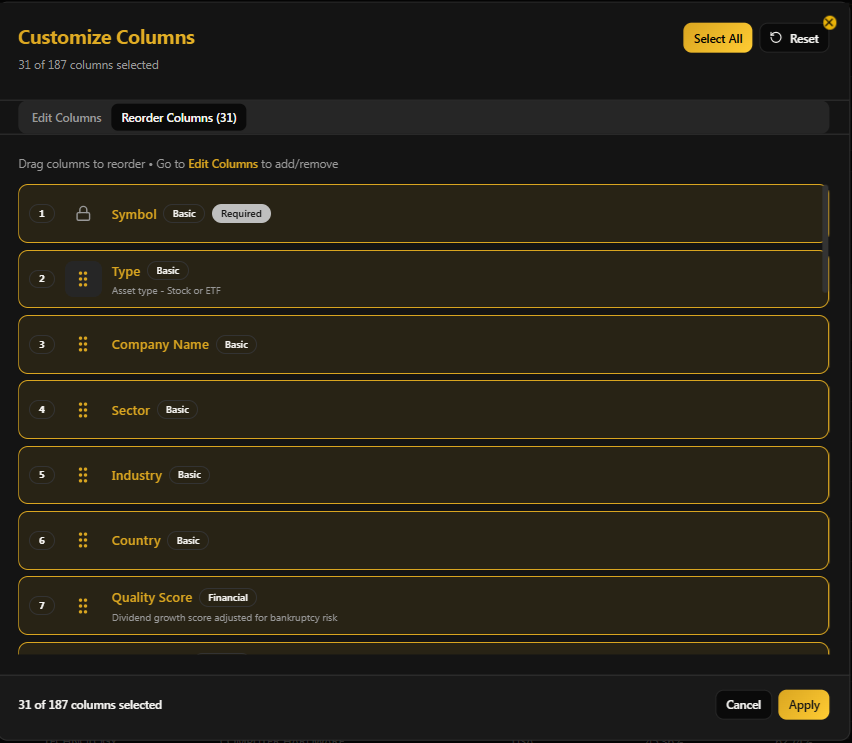
You Can Save Views Once You Customize Them

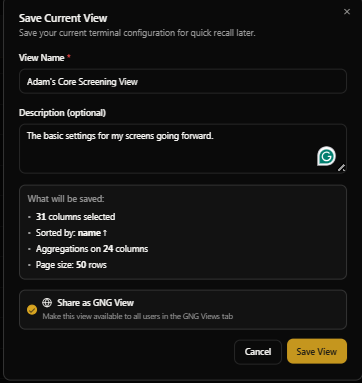
This is how I ordered them, and will have Connor save them as “Adam’s View” in case anyone wants to use these settings. I tried to be intuitive and avoid placing the more nerdy metrics until the end, because I know that those are not as useful for many of our members.
Adam’s Column Settings (For Anyone That Wants To Use Them)
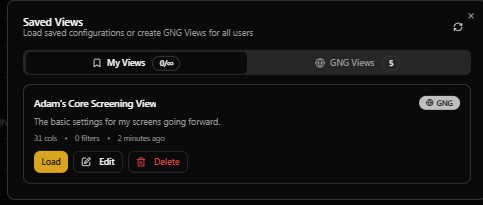
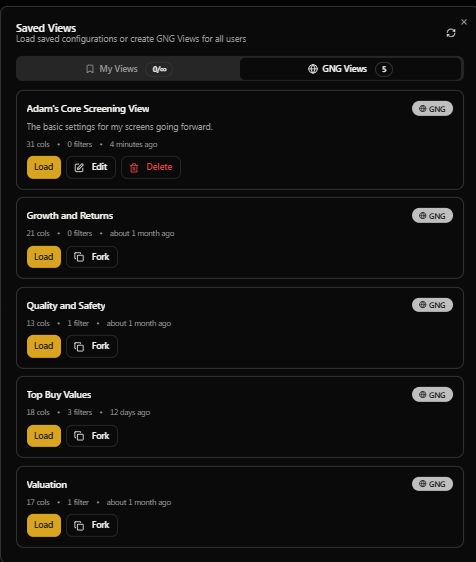
Here’s Where To Find My View (and Your Own)

I’ll be creating new kinds of views in the future, but this is a good starting place for any screen.
Step 2: Selecting Screening Criteria
This will be the first thing I discuss in Part 3 of this report.
My Doctor just called and told me that there was a scheduling issue and the appointment is actually at 1 PM now 2 PM.
So I literally only have time to publish this article and set the “Adam’s view” as I’ve just done.
Connor is away on last-minute wedding errands and asked me to pass on that REIT ratings are currently inaccurate because we have to switch to FFO and that will be fixed after the wedding.
Thank you for your patience, everyone.
See Everyone On Wensday January 28th🤗🥳🙏🫂