Research Articles and Investing Community
How to find GNG research articles by author, tag or ticker, join the discussion in the comments, and talk with other members of our investing community.
Quick checklist
- Browse Articles and apply at least one filter
- Open an article and read the summary bullets
- Leave a comment or reply to start a conversation
- Open Rocket Chat and introduce yourself
Pro tips
- Bookmark your favorite article filter combination for one-click access to relevant research.
- Use @mentions in article comments to loop specific members into a discussion.
- Keep Rocket Chat open in a separate tab to stay in the conversation without losing your place.
- Check the plan badge on articles before diving in. It shows which plan unlocks the full content.
Articles give you structured stock research with collaborative discussion. Rocket Chat, included with GNG Pro and higher, is where our investing community talks live.
Filter and discover articles
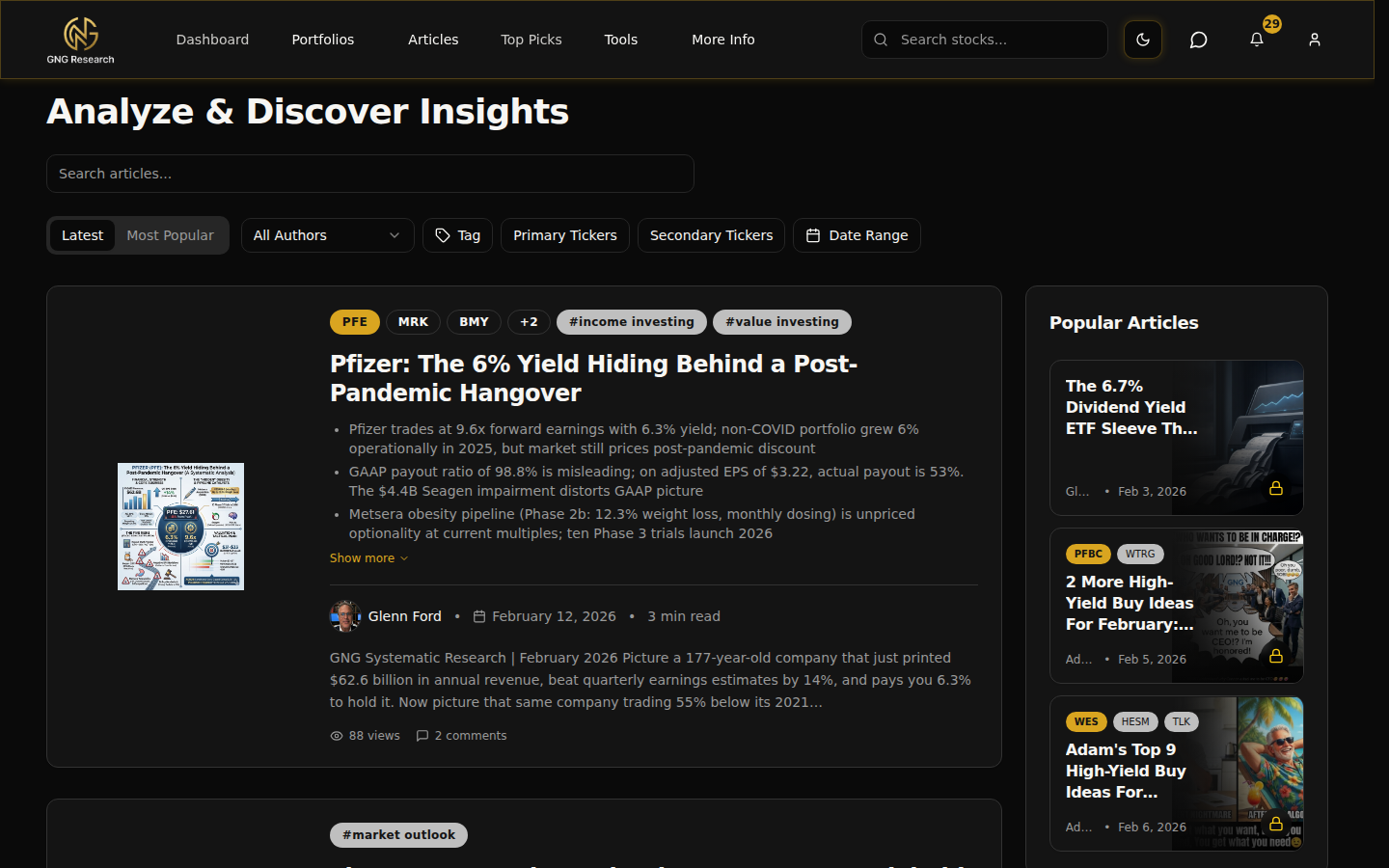
Every filter writes to the URL, so you can copy the link to share the exact same view with another member. Use author, tag, and ticker filters to narrow down to the coverage you care about.
Article cards show the plan badge (free, pro, platinum) so you see at a glance what your subscription unlocks.
Read and comment
Summary bullets stay near the top of each article so you can skim before committing to the full read. The comment section supports threaded replies and @mentions that trigger notifications.
Edit or delete your own comments at any time.
Rocket Chat community
Rocket Chat is the community hub with channels, threads, and direct messaging, included with GNG Pro and higher plans. Access it from the Chat link in the navigation bar.
Keep the tab open while browsing other parts of the platform. Messages stream in as they are posted.
FAQs
- How do I join the GNG investing community?
- On GNG Pro and higher plans, open Rocket Chat from the Chat link in the navigation bar to join channels, threads and direct messages with other members. Every signed-in member can reply in an article's comment section and @mention people.
- How do I share a filtered article view?
- Every filter updates the URL query string. Copy the page URL and anyone with access loads the exact same filtered feed.
- What if an article shows a lock icon?
- The lock indicates a gated tier. You'll see the summary card, but full content requires that subscription level. Upgrade via the billing portal to unlock.
- Is Rocket Chat the same as the old Minnit chat?
- No. We migrated to Rocket Chat for channels, threads, direct messaging, and a more robust feature set.
- Will I get notified about new article comments?
- If someone @mentions you, you'll receive a notification. You can also enable broader article notifications in your settings.