Investing Dashboard: Movers, Sectors and News
Your GNG investing dashboard after you sign in: the day's biggest market movers, sector performance and a news feed, with quick links to the research tools.
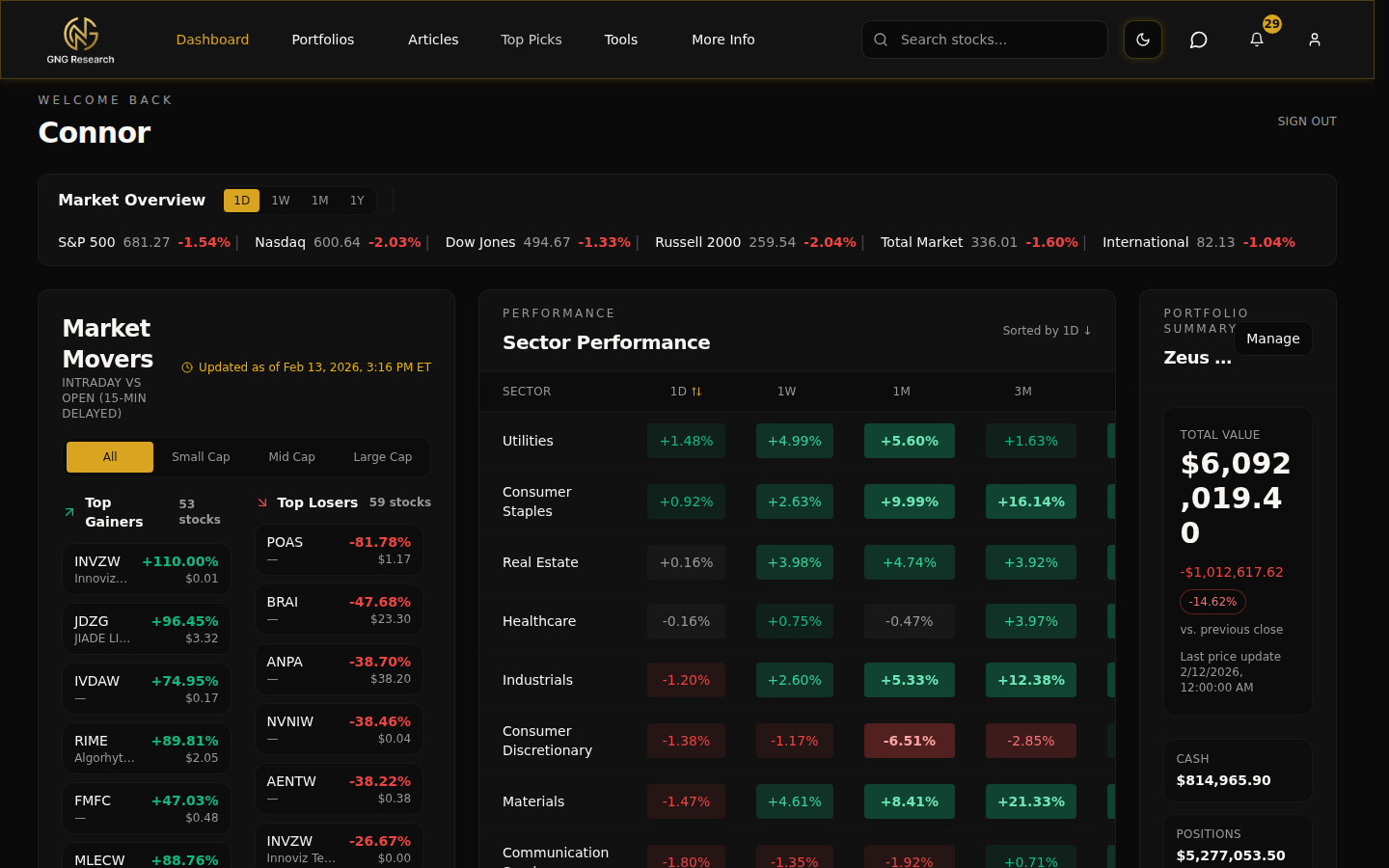
Quick checklist
- Review today's Market Movers: gainers and decliners
- Check sector performance for broad market context
- Scan the news feed for relevant headlines
- Use sidebar navigation to jump to a specific tool
Pro tips
- Bookmark the home page so you always land here after sign-in.
- On mobile, the layout stacks vertically. Scroll past Market Movers to find sectors and news.
- Use the Dashboard as a pre-market routine: movers, sectors, news, then Research Terminal.
The GNG investing dashboard is your daily stock market dashboard. Assess market conditions at a glance, then jump into deeper research.
Market Movers
The Market Movers panel shows the day's biggest gainers and decliners with percentage changes. Click any ticker to jump to its stock detail page.
Data updates throughout the trading day. Check the timestamp to confirm freshness.
Sector performance and news
The sector view shows how each market sector is performing, helping you spot rotation and broad trends.
The news feed aggregates relevant financial headlines for a quick scan before your research workflow.
Sidebar navigation
The left sidebar links to every major section: Research Terminal, all four analytical tools, Portfolios, Articles, Top Picks, and account settings.
FAQs
- What is on the GNG investing dashboard?
- The day's biggest market movers, how each market sector is performing, a feed of financial headlines, and a sidebar with links to the Research Terminal, the analysis tools, your portfolios, articles and Top Picks.
- How often does Market Movers refresh?
- Throughout the trading day. The panel shows a timestamp so you can confirm how current the data is. Refresh the page for an immediate update.
- Can I customize the Dashboard layout?
- The sidebar is customizable: choose which sections appear. The main content layout follows a fixed structure so every member gets the same reliable snapshot.