How to Pick Stocks: Research and Top Picks
How to pick stocks with GNG: research any company from the search bar, read its stock page from charts to financials, and compare analyst Top Picks on GNG Pro.
Quick checklist
- Use the global search bar to find a company by ticker
- Explore a stock detail page: charts, financials, and valuation
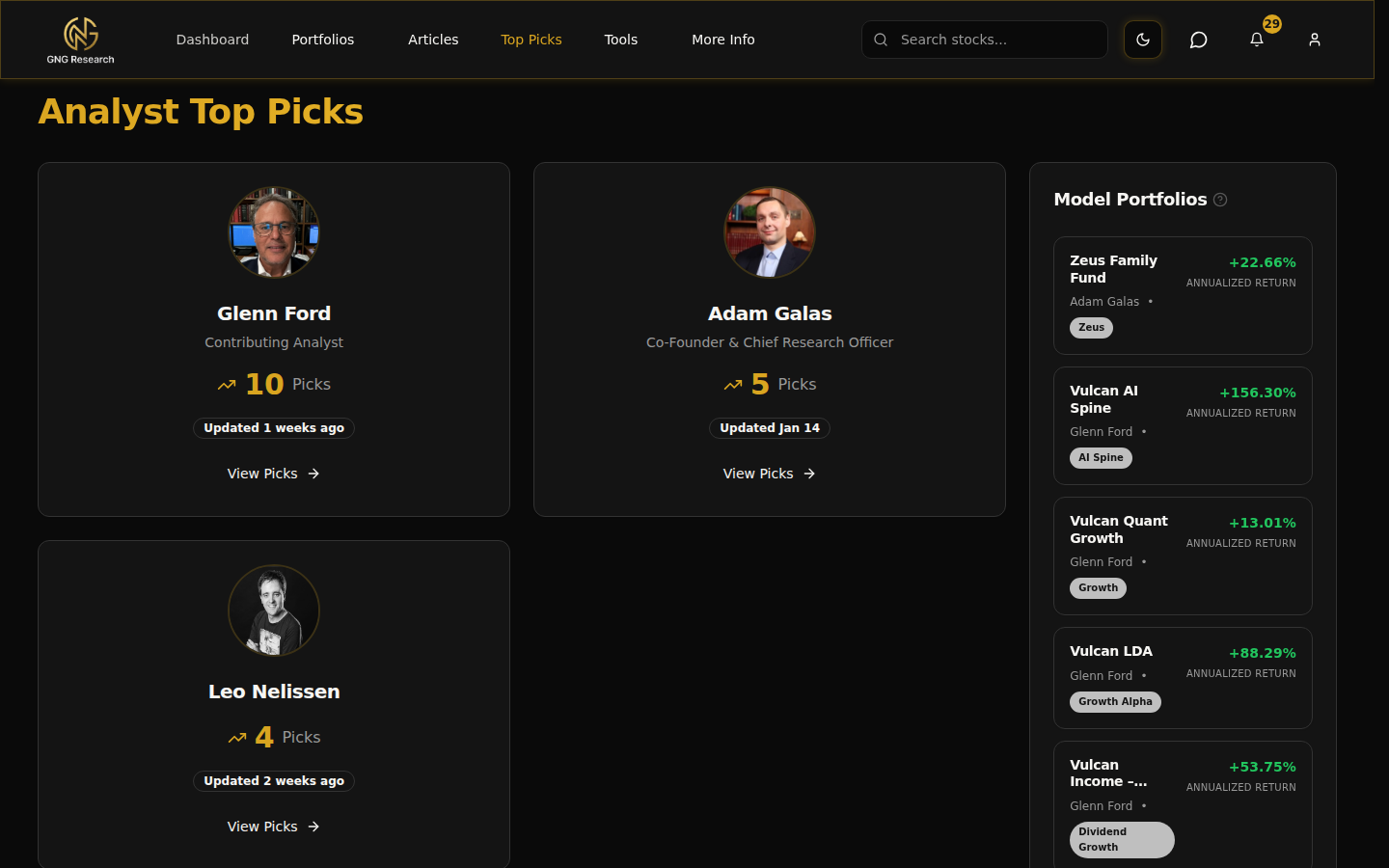
- Visit Top Picks to see this month's analyst selections
- Read an analyst thesis on a Top Pick
Pro tips
- Use search from anywhere. You don't need the Research Terminal to look up a company.
- On stock detail pages, scroll past the chart to find full financial statements and valuation breakdown.
- Compare Top Picks against your own screens in the Research Terminal for a second opinion.
- Bookmark specific stock detail pages for companies you revisit frequently.
Picking stocks starts with research. GNG gives you two discovery paths: search when you know what you're looking for, and analyst Top Picks when you want ideas.
Global search
The search bar in the top-right corner works from any page. Type at least two characters and results appear immediately, matching on ticker symbol and company name.
Click any result to open the full stock detail page. No need to navigate to the Research Terminal first.
Stock detail pages
Each stock page is a comprehensive single-page view: interactive price charts, key statistics, income statement, balance sheet, cash flow, valuation ratios, dividend history, and GNG Valuation Rating.
Use the chart timeframe buttons to switch between ranges. Financial statements display in clean tables with year-over-year comparisons.
Top Picks
Published monthly by our analyst team. Each selection includes a written thesis, relevant metrics, and context for why the stock made the cut.
Past months' picks remain accessible so you can track how selections have performed over time.
FAQs
- How do I research a stock on GNG?
- Type a ticker or company name in the search bar at the top of any page and open the result. The stock page puts the price chart, key statistics, financial statements, valuation ratios and dividend history in one place.
- How do I pick stocks with GNG?
- Start with research: look up a company, check its valuation ratios, financial statements and dividend history on its stock page, and compare it with your own Research Terminal screens. GNG Pro members also get monthly analyst Top Picks with a written thesis for each pick.
- How often are Top Picks updated?
- Monthly. Each edition features a fresh set of analyst selections with updated theses and supporting data. Top Picks are included with GNG Pro and higher plans.
- Can I search for ETFs or just individual stocks?
- The search covers every company in our database. ETF coverage depends on what's tracked in the system.
- What's on a stock detail page?
- Price charts, key statistics, income statement, balance sheet, cash flow, valuation ratios, dividend history, GNG Valuation Rating, and links to related tools like the BackTester and Dividend Forecaster.